Bring the approved site
Start with the URL, HTML, ZIP, or AI-built frontend the client already approved.
Bring the finished site, make it editable, prepare it for search and launch, then give the client clear control in WordPress.
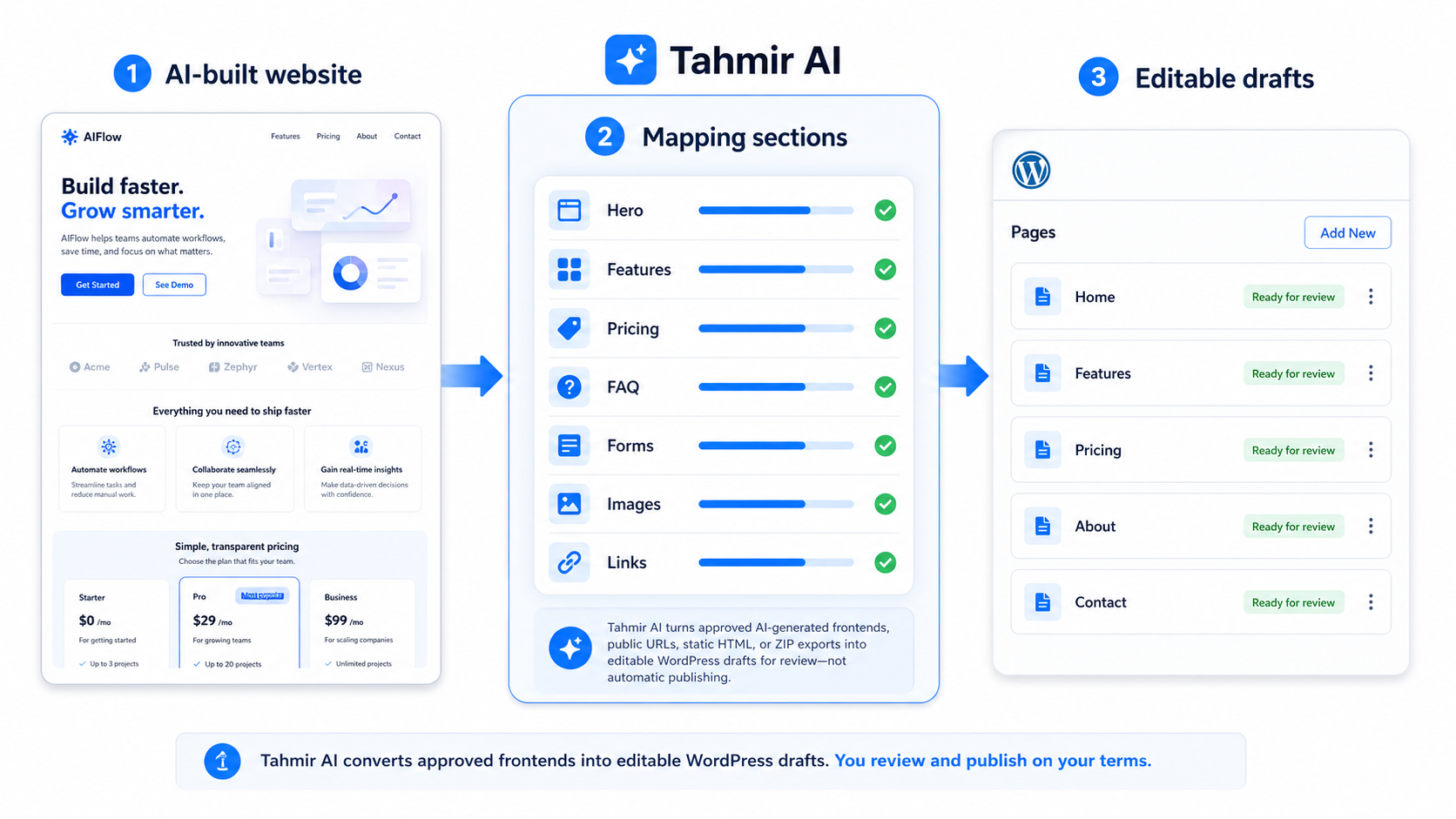
Start with the URL, HTML, ZIP, or AI-built frontend the client already approved.
Select the public pages that should become part of the WordPress site.
Tahmir prepares WordPress drafts so your team can update content without touching code.
Check the design, mobile layout, links, forms, headings, metadata, images, and speed basics.
Set client roles, protect important structure, approve the site, and publish when ready.
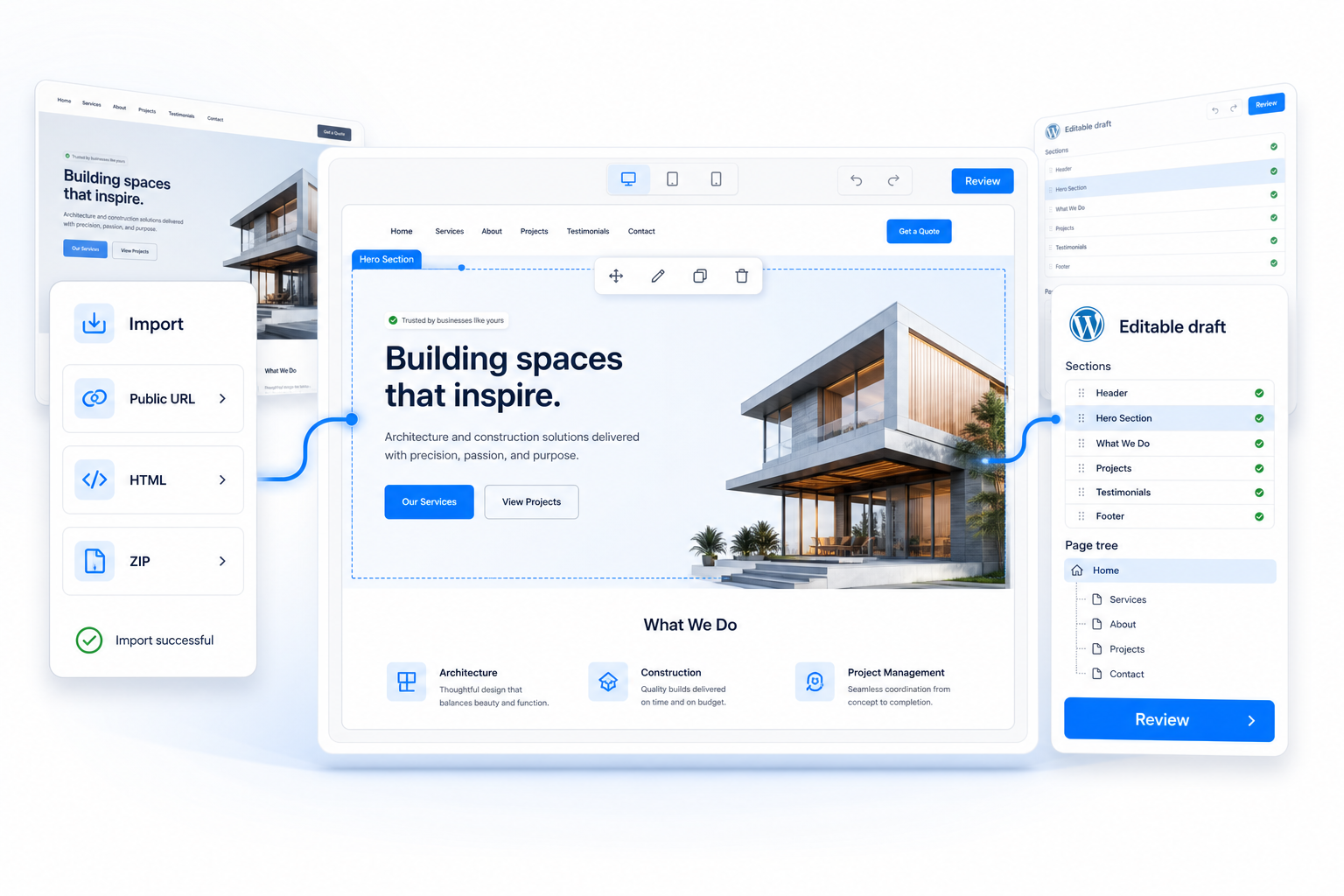
The product prepares the editable pages. Your team confirms the content, connections, SEO details, and client access before launch.
These are the details that turn an editable draft into a site the client can confidently manage.
Logins, dashboards, payments, and database actions still need development.
Test emails, CRM routing, analytics, pixels, consent, and notifications.
Review unusual animation, canvas, WebGL, widgets, and custom scripts.
Confirm prices, claims, testimonials, legal copy, links, and downloads.
Review titles, descriptions, headings, image text, canonicals, and page weight.
Decide who can edit, approve, publish, and change the site structure.
No. Tahmir creates drafts. Your team compares them with the source, finishes launch checks, and decides when they are ready.
Yes. Tahmir can discover same-domain routes so you can choose the pages that belong in the project.
Use one representative page with real content, imagery, responsive layout, links, and a conversion path.
Unusual animation, widgets, application logic, WebGL, tracking, and custom forms may require manual development after the visible page is imported.