
✦ Repeatable Delivery
From the approved link to an editable WordPress draft
Paste the URL your client approved. Tahmir discovers supported pages, brings assets across, and lets you review the WordPress result.
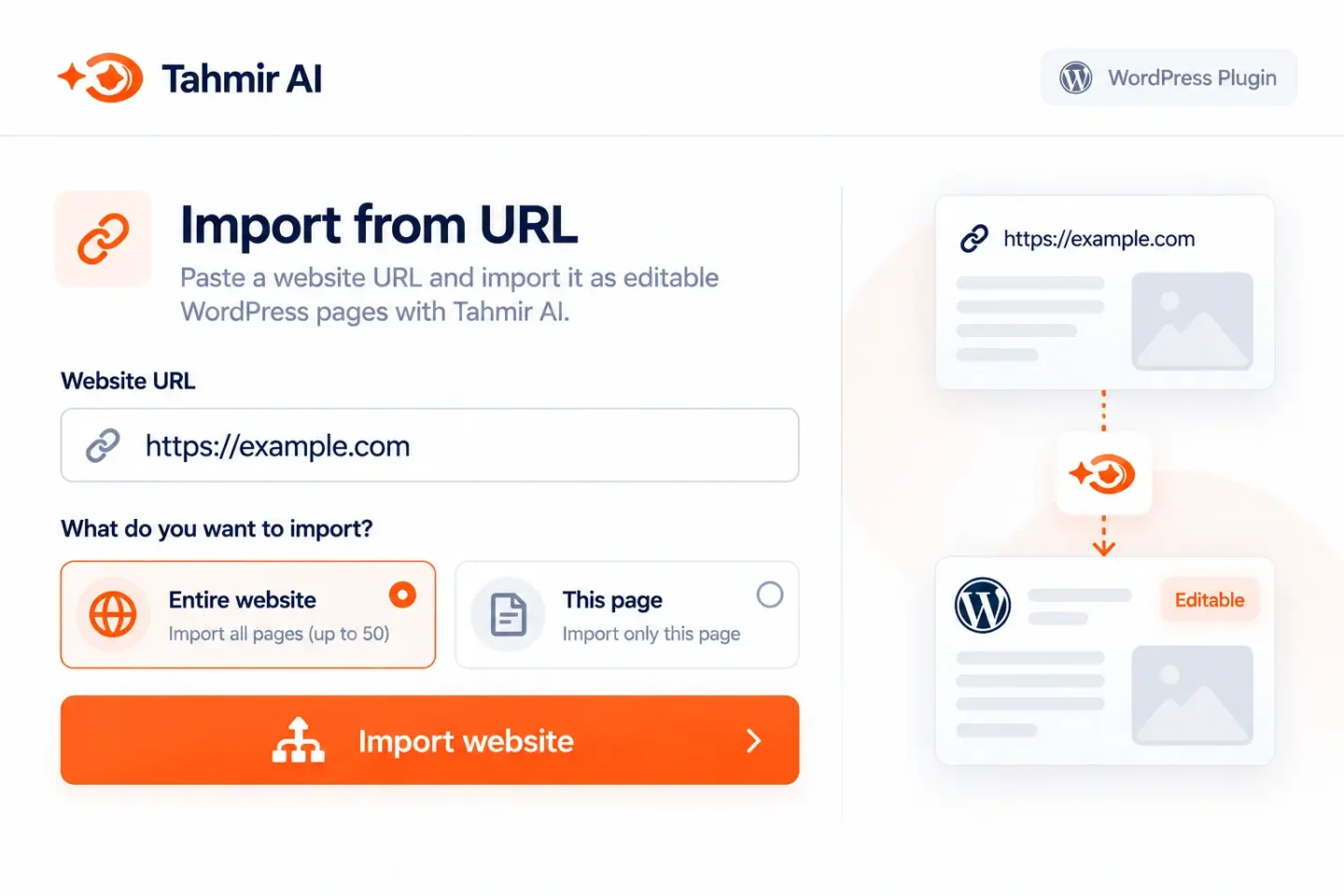

Import supported HTML or a public website into WordPress, then review the result. Free covers import and page display; Pro adds visual editing, forms, analytics, SEO, and client handover. Check compatibility and measured performance on your own project.
Keep the AI design workflow you like. Standardize what happens next.



Paste the URL your client approved. Tahmir discovers supported pages, brings assets across, and lets you review the WordPress result.
Bring the page, the code, or the public link.
 Approved URL
HTML/CSS/JS
Lovable
GoHighLevel
Framer
WordPress
Approved URL
HTML/CSS/JS
Lovable
GoHighLevel
Framer
WordPress
Review every imported page from one SEO workspace. Find missing metadata, weak summaries, structured data gaps, and pages that need attention.

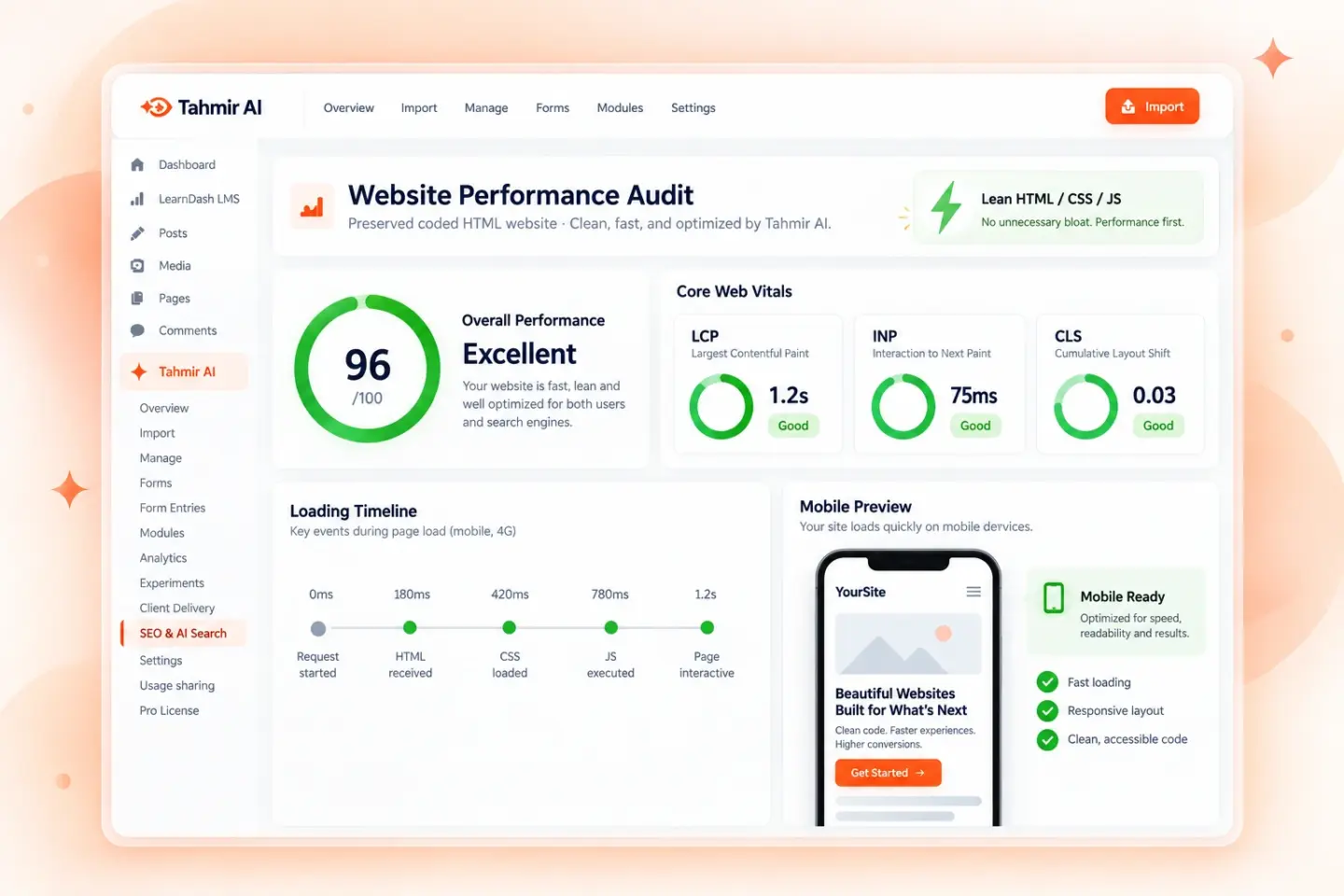
A visual move to WordPress should not force a heavy page-builder rebuild. Tahmir preserves supported HTML, CSS, and JavaScript so you can inspect and optimize the real output.
First-party website analytics show visitors, visits, sources, paths, clicks, forms, and journeys without a heavy third-party tracking script.

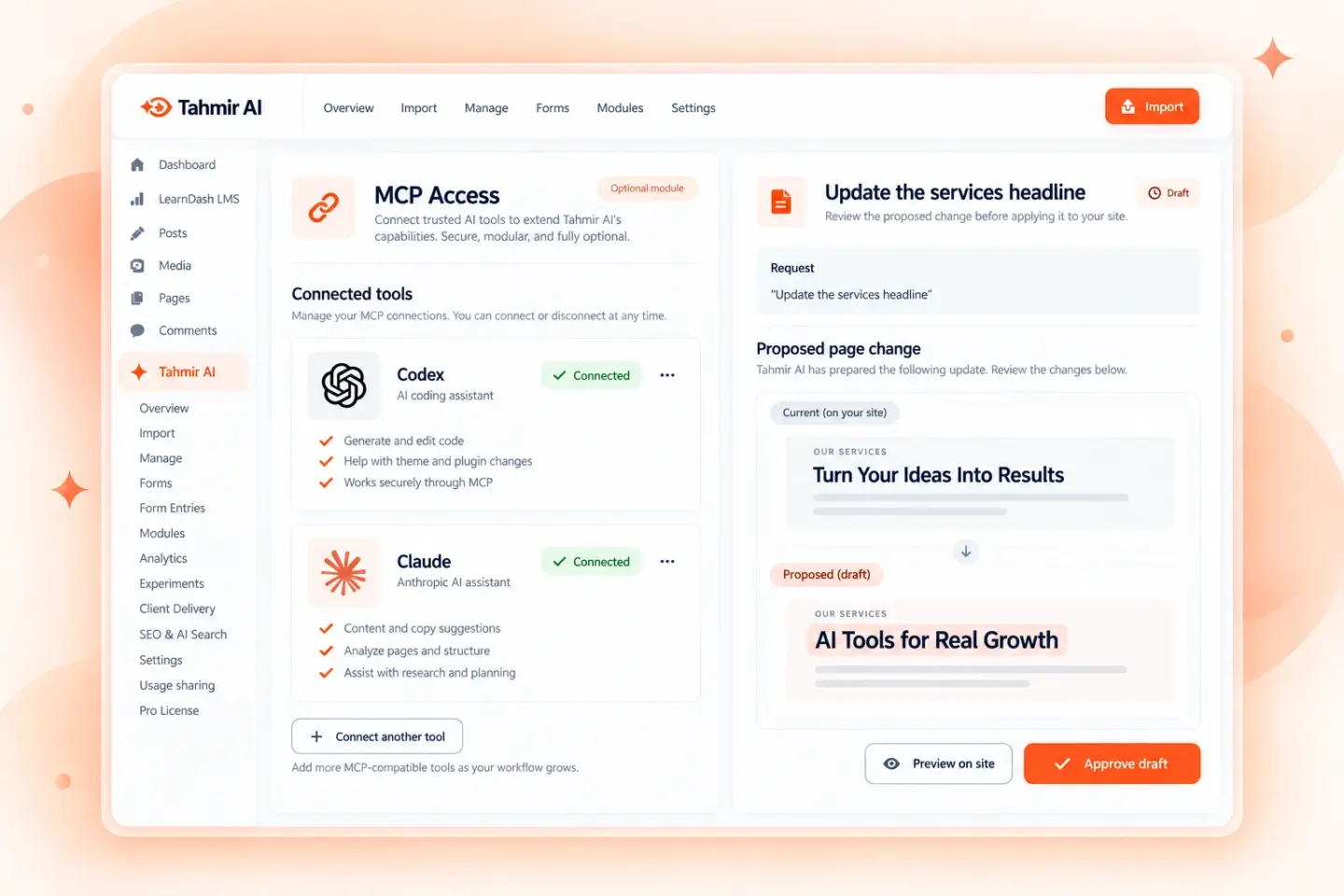
Give trusted Codex or Claude clients authenticated access to the Tahmir workspace. Ask for a site change, inspect the proposed draft, and keep the editing workflow under your control.
Ask the optional AI Growth Assistant why a page is underperforming. It can use measured sources, paths, forms, and exits to suggest a focused improvement and a reviewable test.

Make precise changes on the page, or describe the change you want and review the AI draft before applying it.


Begin with the page your client already reviewed or a supported export.
Check structure, metadata, responsive behavior, and performance.
The Agency plan supports client delivery across 100 licensed websites.
Use a public URL or supported export from the AI tool your team prefers.
Move supported pages into a private, editable WordPress workspace.
Check visual fidelity, mobile behavior, SEO foundations, and performance.
Make the first real content edit and identify anything still requiring manual work.
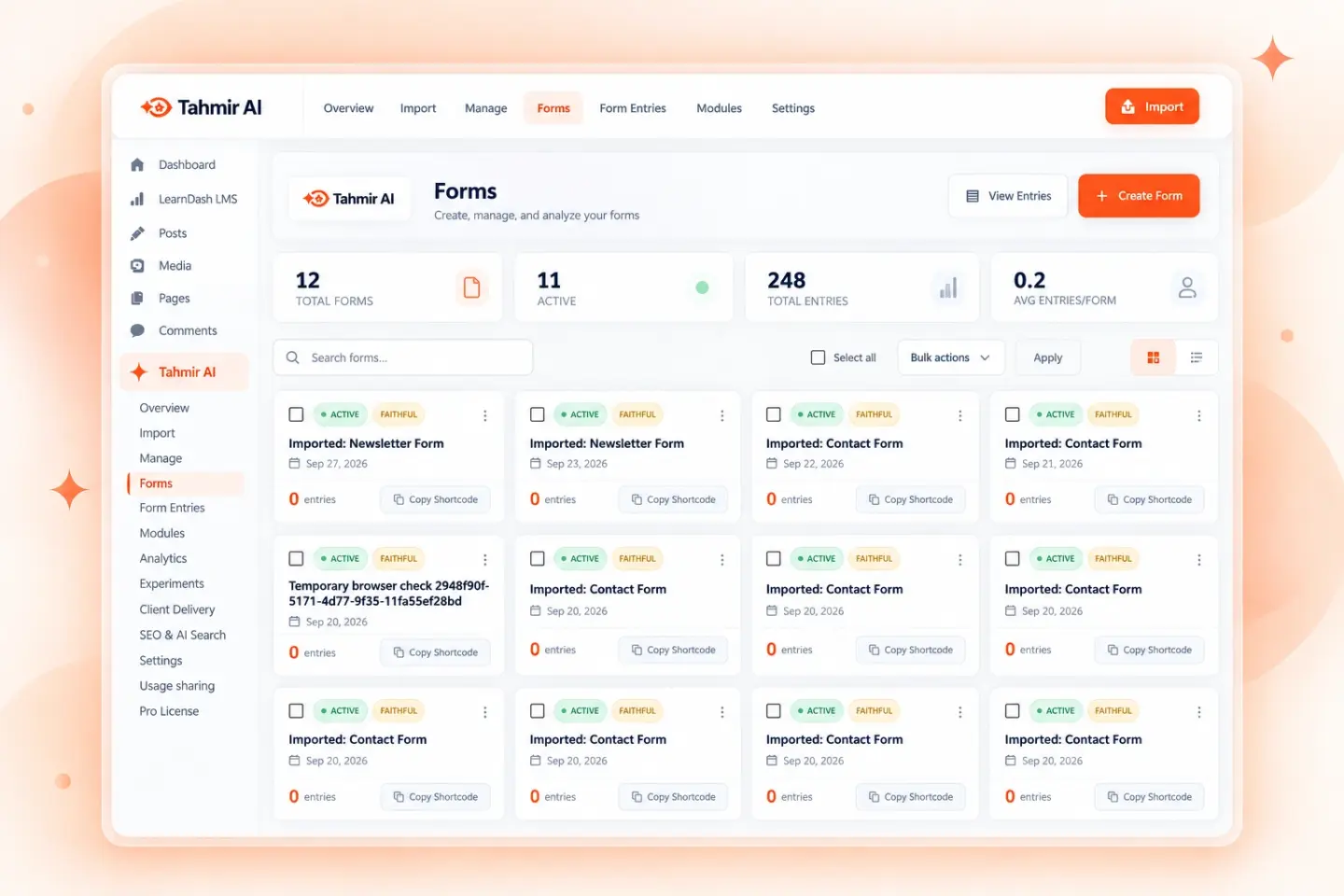
See the contact and newsletter forms Tahmir finds, inspect entries, and refine the form after import. Always test the full submission and notification path.
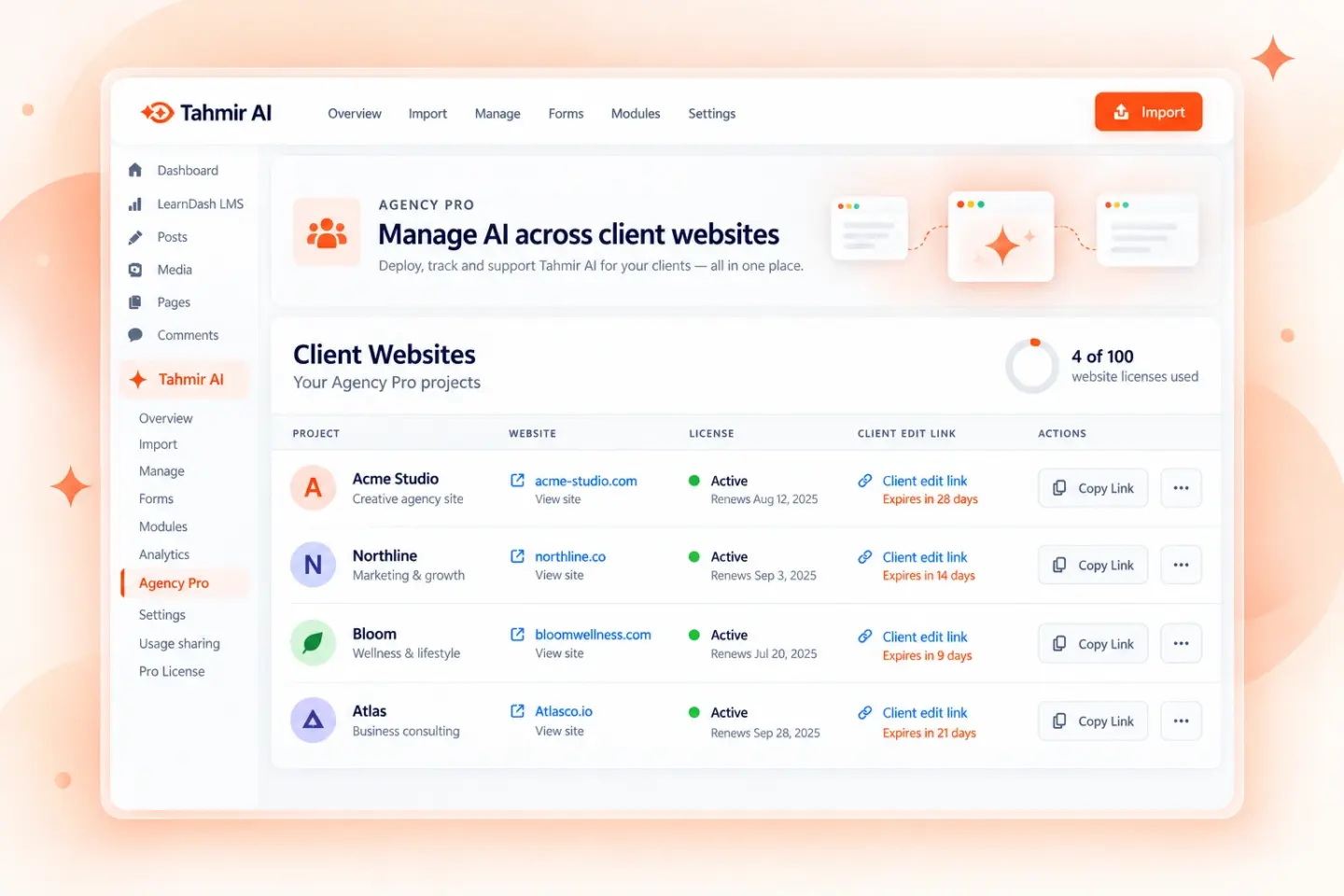
Agency Pro covers 100 websites. Give each client an expiring, revocable editing link with only the editor access they need.

Connect WooCommerce order data to sources and campaigns. Review paid orders, refunds, and currencies in the optional Revenue Insights module.

Import supported blog pages and preserve their visual structure as WordPress content. Check post links, categories, metadata, and templates before launch.
Tahmir imports supported front-end pages into WordPress and serves their HTML through Tahmir’s page template. The managed pages on this website use the ugentic-faithful template. Visual and AI changes use Tahmir Pro’s editor. An import does not automatically create native Gutenberg blocks, an Elementor layout, or a standalone theme ZIP.
| Question | What to expect |
|---|---|
| Where is the content? | A WordPress page is connected to the HTML managed by Tahmir. Keep the required Tahmir plugins and page template active. |
| What can a client edit? | Pro supplies visual and AI editing, with optional expiring client links. Test the agreed text, image, link, repeated item, and layout changes on the actual project. |
| Which plan is required? | Free covers supported imports and page display. Pro adds visual editing, forms, SEO, analytics, AI tools, and client delivery. Compare current Pro plans. |
| Do I receive the app backend? | No automatic backend migration is promised. Authentication, Supabase data, APIs, checkout, server functions, and third-party services require separate work. |
| How do I maintain the result? | Back up the WordPress database, uploads, imported files, and required plugins. Record external services and test a restore on staging. |
| What happens after a license expires? | The current Free/Pro split requires a valid Pro license for Pro features. Expiry behavior for existing Pro edits and client links has not been independently tested in this public audit. Confirm it with Tahmir support before promising continued paid editing to a client. |
This site is a working Tahmir-managed WordPress installation. On 19 October 2026, an automated public check received HTTP 200 responses for all 24 managed pages. That confirms page availability at the time of testing; it does not establish conversion success for every possible source.
Read the dated website verification record and the conversion test matrix. The ten-case conversion benchmark remains incomplete. Product illustrations are labeled as illustrations; they are not measured customer results.
HTML conversion guide · Lovable conversion scope · Client handover checklist · Current prices and licenses
Start with the free plugin, then choose a Pro license for visual editing, forms, AI tools, SEO, analytics, and client delivery.
Swipe to compare plans →
| Feature | Free plugin$0No license needed | Site Pro$49/year1 website | Studio Pro$149/year10 websites · Most popular | Agency Pro$399/year100 websites |
|---|---|---|---|---|
| Import & publish | Included with the Free plugin | |||
| Clone a public URL | ✓ | ✓ | ✓ | ✓ |
| Import an HTML ZIP | ✓ | ✓ | ✓ | ✓ |
| Display imported pages | ✓ | ✓ | ✓ | ✓ |
| Manage imported pages | ✓ | ✓ | ✓ | ✓ |
| Edit & grow | Unlock with a Pro license | |||
| Visual editor | — | ✓ | ✓ | ✓ |
| Page modules | — | ✓ | ✓ | ✓ |
| Create and edit forms | — | ✓ | ✓ | ✓ |
| Form submissions and entries | — | ✓ | ✓ | ✓ |
| Form integrations | — | ✓ | ✓ | ✓ |
| Form email notifications | — | ✓ | ✓ | ✓ |
| AI tools | — | ✓ | ✓ | ✓ |
| SEO and AI search tools | — | ✓ | ✓ | ✓ |
| Website analytics | — | ✓ | ✓ | ✓ |
| Revenue Insights module | — | ✓ | ✓ | ✓ |
| Experiments and smart traffic | — | ✓ | ✓ | ✓ |
| MCP access | — | ✓ | ✓ | ✓ |
| Client delivery | — | ✓ | ✓ | ✓ |
| License | One active plan per account | |||
| Licensed websites | No license needed | 1 | 10 | 100 |
| Billing | Free | Annual | Annual | Annual |
| Get Tahmir | Download for Free Now | Choose Site | Choose Studio | Choose Agency |
Pro is a separate add-on. Keep Free active and activate a valid Pro license; your imported pages and form data carry over. AI services may also require credits or provider configuration. Upgrades take effect immediately for the price difference while your renewal date stays the same. Downgrades start at the next renewal. Compare plans and changes.
Start with a public page URL or a supported HTML ZIP containing the page assets. The URL importer offers auto-detection for AI-built and conventional sites and can discover pages before a full-site import. Test complex routes and interactions on your actual project.
Tahmir aims to preserve supported front-end structure and repoint supported assets to local URLs. Scripts that depend on a separate backend, authentication, API, or source platform need a separate migration or integration check.
Pro provides a visual editor and AI tools. You can make page changes directly or request a draft AI edit, then review it before publishing. The Free plugin covers import and page display; compare the plan table for editing features.
Tahmir can identify and bring supported forms into its Forms workspace. Pro adds form creation, editing, entries, integrations, and notifications. Always submit a test entry and verify delivery, consent, and any connected automation before launch.
Supported blog pages can be imported, and the SEO workspace helps review titles, descriptions, structured data, and AI search signals. Check post URLs, categories, templates, internal links, and metadata against the source site before publishing.
No fixed score is guaranteed. Tahmir keeps supported coded output available for review and optimization; your source assets, hosting, plugins, fonts, and later changes affect measured performance. Test the published page with a performance tool.
Website Analytics tracks first-party visitors, visits, sources, page paths, clicks, forms, and journeys. The optional Revenue Insights module can relate WooCommerce paid orders and refunds to sources and campaigns when enabled and configured.
Pro includes an optional MCP Access module for authenticated connections to trusted clients. Review the access scope and any proposed site changes before applying or publishing them.
The Client Delivery module creates a separate expiring URL for each client. Choose visual editing, AI editing, or both, and rotate or revoke the link when access is no longer needed.
Site Pro covers 1 website, Studio Pro covers 10, and Agency Pro covers 100. Your account has one active paid plan at a time, and you can change plans from the upgrade flow.
Tahmir is designed for teams that already have an approved site and want a repeatable WordPress import, editing, review, and client delivery workflow.
Use your own page and judge the work left before handoff—not just the first generated preview.
Download for Free Now