Start with the Bolt source
Use the Bolt page or site that already represents the final direction: homepage, pricing page, contact page, waitlist, product page, landing page, or full marketing site.
Bolt to WordPress
Bolt is brilliant when you want to build fast. Tahmir AI helps move the approved Bolt output into WordPress so the site can be reviewed, edited, connected, and handed off with more control.

The Bolt handoff problem
Bolt is great for creating a fast frontend. You describe the idea, adjust the layout, improve the copy, and suddenly the site looks much closer to launch than expected.
But once the site needs to live inside WordPress, the work changes. The question is no longer whether Bolt can build the frontend. The question is whether the site can be edited, connected, optimized, reviewed, and handed off inside WordPress.
Direct answer
The best way is to use your approved Bolt site, deployed URL, HTML export, or ZIP package as the source, let Tahmir AI find the pages that can be imported, choose what should move into WordPress, and create WordPress drafts for review.
The goal is not to manually rebuild the Bolt project inside WordPress. The goal is to move the approved visible website into WordPress faster, then review it properly before launch.
What Tahmir AI uses from Bolt
Bolt projects often go through many versions. Tahmir works best when you use the version that already looks approved and is worth maintaining.
What Tahmir AI does
Tahmir AI scans the source output, discovers importable pages, shows those pages before import, and lets your team select what should become WordPress drafts.
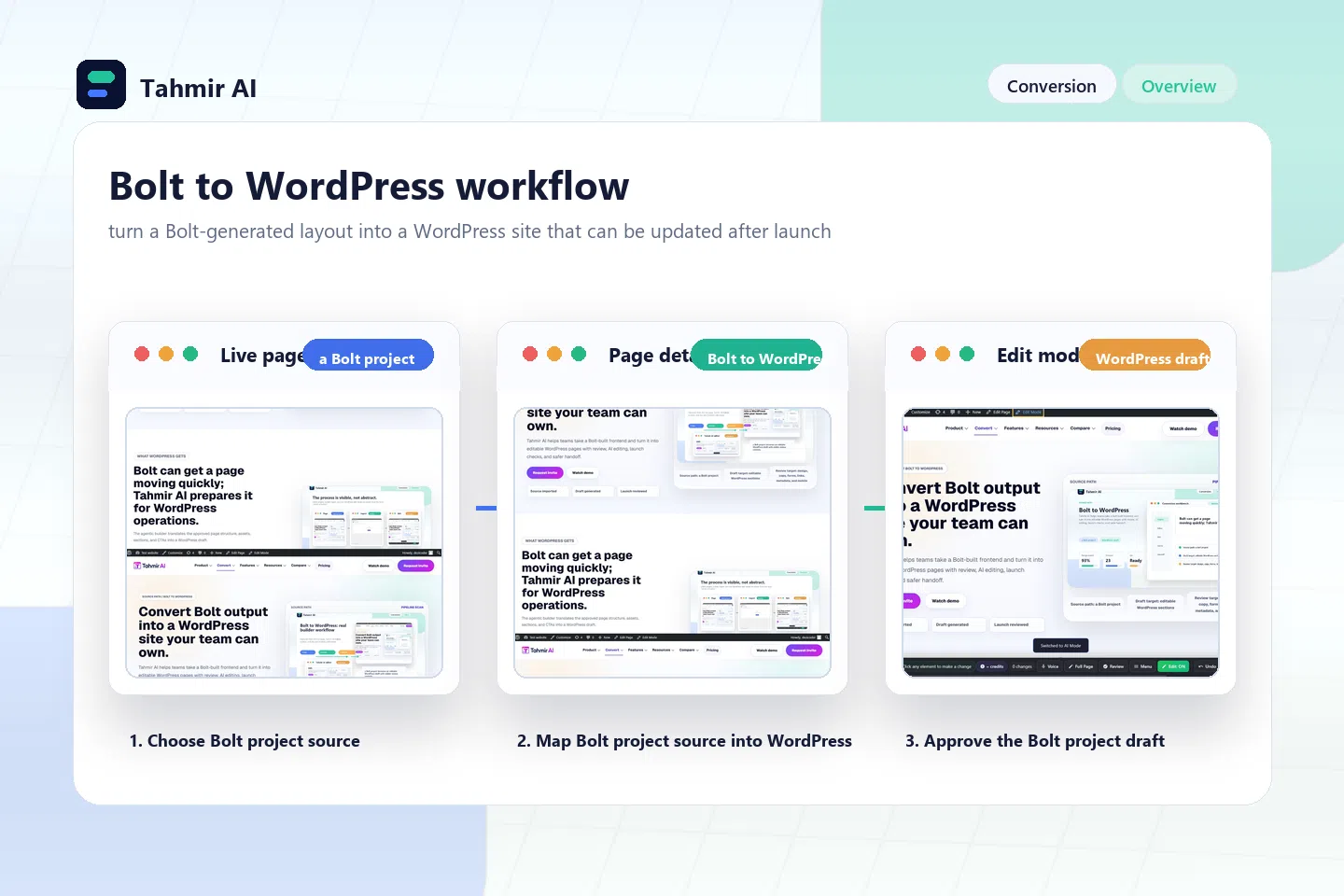
The workflow
The workflow is built for controlled import and review, not blind copying.
Use the Bolt page or site that already represents the final direction: homepage, pricing page, contact page, waitlist, product page, landing page, or full marketing site.
Provide the approved deployed URL, static HTML export, or ZIP package with HTML, CSS, JavaScript, images, fonts, and assets.
For a site URL, Tahmir can scan navigation, homepage links, footer links, sitemaps, and crawlable same-domain paths before import.
Choose pages that belong in WordPress and skip test routes, unused screens, duplicate versions, private app views, or old experiments.
Selected Bolt pages become WordPress drafts so your team can compare the source, inspect layout, and publish only when ready.
Supported images, icons, backgrounds, CSS, fonts, scripts, imported media, and relative file paths are processed for the WordPress environment where possible.
Check spacing, section rhythm, cards, buttons, responsive stacking, mobile padding, fonts, backgrounds, breakpoints, and grid behavior.
Lead forms, waitlists, contact areas, and visual form blocks are surfaced so fields, routing, messages, CRM, spam protection, and tracking can be verified.
When multiple Bolt pages are imported, matching internal links can point to the new WordPress pages instead of the old Bolt source.
Header and footer navigation can be detected so your team can inspect labels, page order, mobile menus, dropdowns, skipped pages, and old URLs.
What WordPress gets
Agencies can use Bolt for fast mockups, SaaS pages, campaign pages, product pages, and approved design direction, then move the finished frontend into WordPress for client ownership.
Founders can prove an idea quickly in Bolt, then move the approved marketing site into WordPress when SEO, plugins, analytics, forms, team access, and long-term control matter.
WordPress gives the site a place to be managed long term, while Tahmir helps reduce the manual rebuild work between the approved Bolt frontend and the CMS.
What to inspect after import
Do not only check whether the page looks close. Check whether the WordPress version is usable.
Bolt-specific launch checks
Bolt can generate quickly, but the imported WordPress version should still be checked carefully before publishing.
Also review copy, product claims, pricing language, testimonials, image licensing, metadata, redirects, schema, and what clients or team members can safely edit after launch.
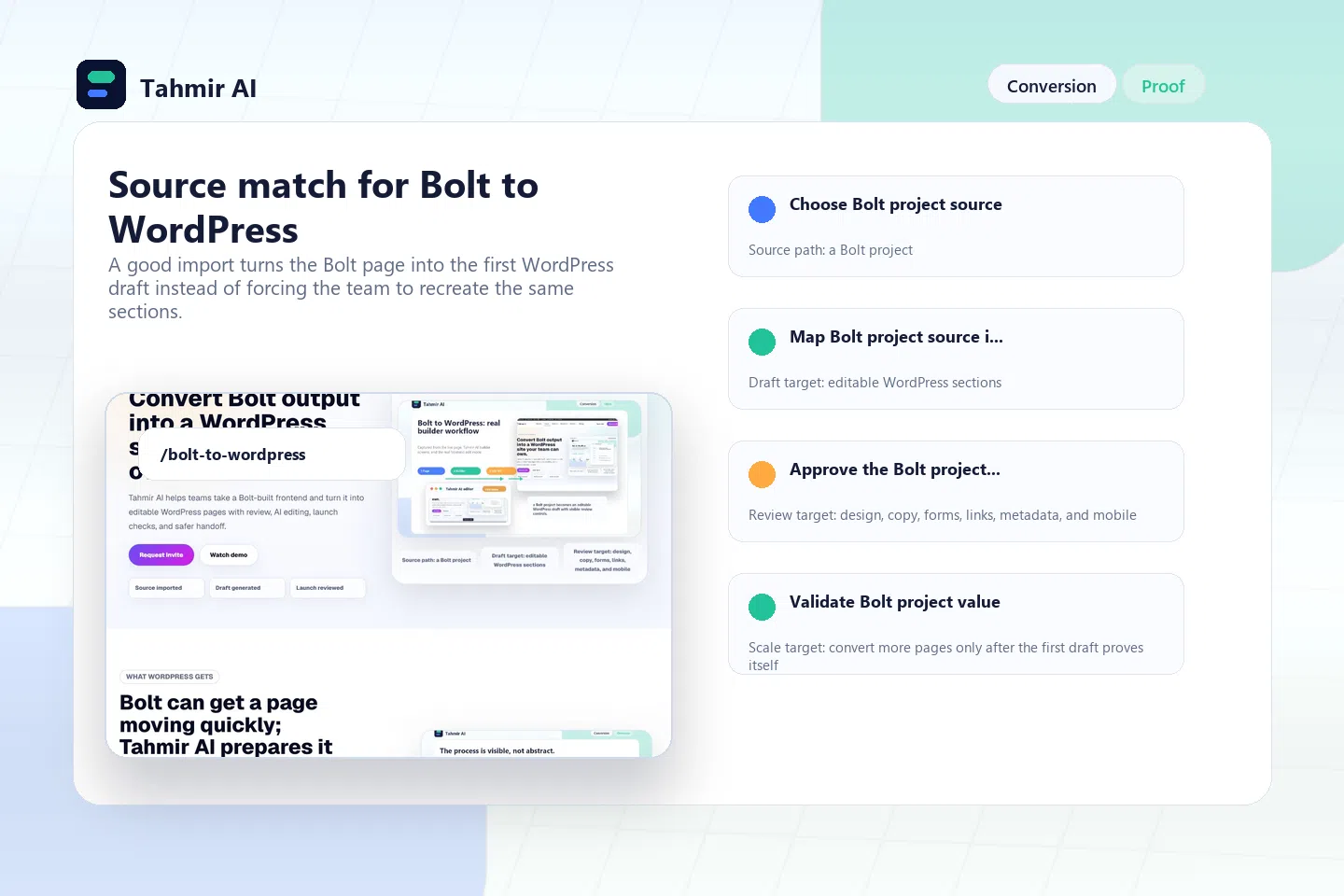
Launch checklist
The import moves the approved source into WordPress. The review makes it ready for real visitors and handoff.
Confirm the Bolt source is approved, public-facing, owned or authorized, and close enough to final that it belongs in WordPress.
Review discovered pages, selected pages, skipped routes, duplicate versions, private app screens, legal pages, and landing pages.
Compare hero sections, spacing, cards, buttons, backgrounds, responsive stacking, breakpoints, typography, and section order.
Check images, icons, fonts, backgrounds, scripts, CSS, relative paths, external resources, alt text, licensing, and weight.
Confirm fields, required states, submission behavior, success messages, email notifications, CRM routing, webhooks, spam protection, and privacy notices.
Test header links, footer links, CTAs, pricing buttons, contact links, anchors, skipped pages, old preview URLs, downloads, email links, and phone links.
Review main menus, footer menus, CTA links, dropdowns, mobile menu behavior, labels, page order, and links that should change.
Review titles, descriptions, headings, slugs, schema, image alt text, canonical settings, indexing, social previews, and internal links.
Decide which sections are safe for clients or team members to edit after launch and which app-like behavior needs separate development.
What Tahmir AI does not convert
Tahmir AI is strongest when the Bolt output is a public-facing website or page that should live inside WordPress.
React state, app logic, authentication, dashboards, databases, API calls, and private app screens need separate development.
Animations, modals, sliders, tabs, accordions, filters, dropdowns, and custom JavaScript should be tested after import.
Missing assets, relative paths, blocked files, external dependencies, and old preview URLs should be cleaned up before launch.
Tahmir can detect forms, but final destinations, notifications, CRM routing, spam protection, webhooks, and tracking still need review.
Generated pages still need metadata, headings, schema, slugs, redirects, image alt text, canonicals, and indexing review inside WordPress.
Generated copy, product claims, guarantees, pricing language, testimonials, page access, and client-editable areas should be approved by a person.
FAQ
Yes. Tahmir AI can help move approved Bolt-generated websites, deployed pages, HTML exports, and ZIP packages into WordPress drafts for review. It focuses on the visible website output and the launch workflow around it.
No. Tahmir does not automatically convert React state, app logic, dashboards, authentication, databases, API workflows, or backend behavior into native WordPress systems.
Yes. When the approved Bolt output is available as a crawlable site URL, Tahmir can discover same-domain pages, show them before import, and let your team select what to move into WordPress.
Yes. If you have exported files, Tahmir can process a ZIP or file-based source that includes HTML, CSS, JavaScript, images, fonts, and other supported assets.
Tahmir can detect forms during import and prepare them for review. Your team should still connect notifications, CRM routing, spam protection, webhooks, tracking, and privacy notices before launch.
The goal is to keep the imported WordPress draft visually close to the approved Bolt source. Your team should still review spacing, mobile behavior, assets, scripts, forms, and links before publishing.
Use the page discovery flow when you have a full approved site. For the first test, choose the most important finished pages and review them before scaling the import.
Related pages
Invite access
Use a deployed Bolt page, approved site URL, HTML export, or ZIP package. Tahmir AI helps discover pages, import selected sources, create WordPress drafts, process supported assets, detect forms, review links and menus, and prepare the site for launch inside WordPress.